Choosing the best Desktop Robot Arm starts with the task, not the product photos. A small arm may look capable on a desk, yet struggle when its gripper, cable, and workpiece approach the payload limit. Before comparing models, define what it must do: move a camera, sort lightweight parts, or support classroom experiments. Specific tasks make specifications easier to judge.
Reach, payload, repeatability, and movement speed deserve close attention. Check whether the stated payload includes the end effector, and measure the workspace around your actual fixture. A few centimeters can decide whether the arm clears a tray or bumps into a monitor. Repeatability matters when placing parts consistently; it is not the same as absolute positioning accuracy. Small details count.
Software and setup can shape the daily experience as much as mechanical performance. Review supported programming options, connection requirements, documentation quality, and the availability of replacement parts. Consider the mounting surface, power supply, emergency stop, and safeguards for nearby users. A quieter motor may matter in a shared office, while a simple interface can help beginners learn without hiding important controls.
No single specification identifies the best choice. A shortlist based only on price or advertised precision can miss practical limits, and product data may not describe every real-world setup. Compare independent measurements when available, then test representative movements before committing to a demanding workflow. Some trade-offs remain. The aim is a Desktop Robot Arm that fits your space, skills, budget, and workload—not the most impressive specification sheet.
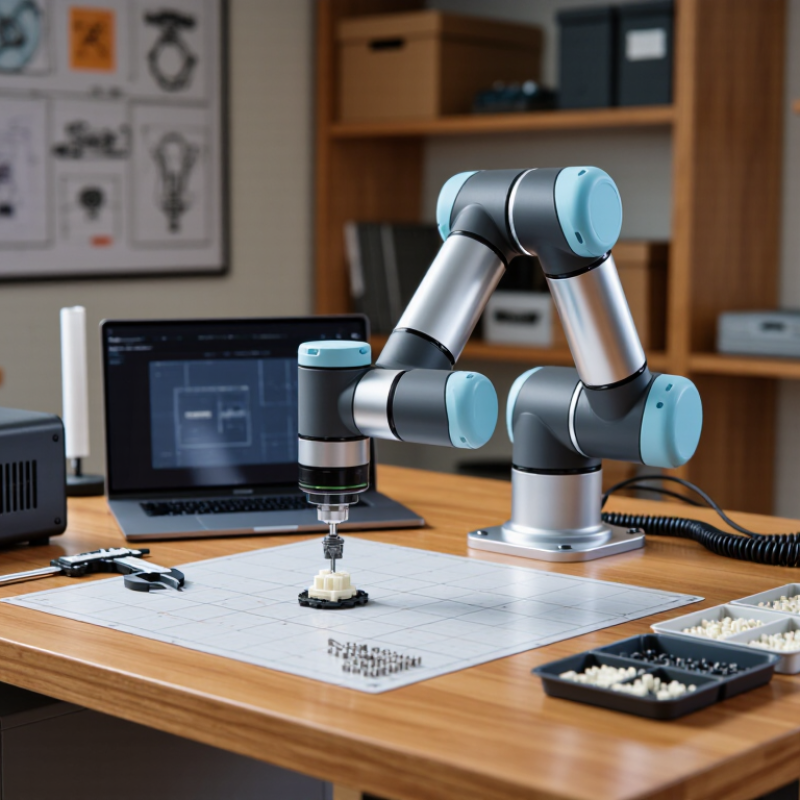
A desktop robot arm is a compact, programmable machine designed to move objects within a limited work area. Its joints rotate or bend, while a tool at the end can grip, draw, or position lightweight items. The setup may sit beside a laptop on a workbench. Its small size helps in classrooms and shared labs, but reach and payload still matter. A mug may be too heavy, even if it fits within the arm’s reach. Check the manufacturer’s specifications before planning a task.
Common uses include teaching basic automation, testing motion sequences, sorting small components, and supporting simple assembly or research demonstrations. Students might program an arm to pick up a foam block and place it inside a marked tray. Small steps reveal a lot. In prototyping, an arm can repeat a movement while a team checks whether a tool or fixture fits. It is easy to assume that a desktop arm will repeat every motion perfectly; in practice, calibration, grip, and object placement affect results. Keep the work area clear, secure the base, and test movements slowly. A little setup can take longer than expected.
A desktop robot arm should fit the work, not just the bench. List each task: picking parts, dispensing, sorting, or holding a tool. Note the object’s weight, shape, grip points, and required repeatability. Measure the farthest point the arm must reach, then mark that area with tape. Include the gripper and cables; they need room too. Small details matter. A nearby laptop, drawer, or safety screen can block motion. Leave space for setup and maintenance, not only for the arm’s advertised reach.
Map the full workspace before comparing specifications. Record the bench height, usable depth, power access, and where people stand. The International Federation of Robotics’ World Robotics 2024 report estimates 4,281,585 industrial robots were operating worldwide in 2023, up 10% from 2022. That figure shows automation’s expanding role, but it does not establish what a desktop arm can safely or accurately do. Check task-specific payload and reach limits, and confirm whether stated values include the tool. One easy mistake is planning around the largest object alone. Cables snag; fixtures shift. Test a rough layout with cardboard first. It may feel low-tech, but it can reveal awkward reach angles before purchase.
Compare the approximate radial reach needed for common desktop tasks. Reach is measured from the robot base; the recommended value includes extra room for positioning and clearance.
These illustrative planning estimates are not universal specifications. Map your full task envelope—including the gripper, workpiece, fixtures, and obstacles—before selecting an arm.
Choosing a desktop robot arm starts with the task, not the catalog. Measure the farthest point the tool must reach, including room for the workpiece and gripper. A long reach can make a compact arm less rigid near its limit. Check the full working envelope, not just the maximum reach figure. Small details matter.
Payload includes the gripper, cables, and any part the arm carries. Accuracy describes closeness to a target; repeatability describes how consistently the arm returns there. Both matter when placing small components. A specification sheet may miss cable drag or bench flex, details that are easy to overlook. More degrees of freedom can help the arm approach awkward angles, but may add setup complexity. Extra movement is not always useful.
Tips: Sketch the task area and mark the farthest pick-and-place points. Test with the actual tool and a realistic load, then check repeatability across several cycles. Leave clearance around the base and workpiece. A little margin helps.
A desktop robot arm is only as useful as the software controlling it. Check whether its interface supports clear motion planning, adjustable speed limits, and a reliable emergency stop. Can operators preview a path before the arm moves? Test common tasks, such as picking up a small part beside a cable or tool. Also confirm that programming tools work with your operating system and offer documented APIs. A polished screen is not enough.
Connectivity deserves equal attention. Look for wired and wireless options, clear permission controls, and a way to operate safely if the network drops. NIST’s SP 800-82 Rev. 3 guidance for operational technology recommends protecting control systems through measures such as network segmentation and access control. That matters even on a small workbench. The International Federation of Robotics reported 4,281,585 industrial robots operating worldwide in 2023, up 10% from 2022. This figure describes industrial robots overall, not desktop arms, but it shows how widely automation is being adopted. Safety still depends on the specific setup. Check reach, payload, pinch points, guarding, and whether the arm’s safety functions suit its intended use.
Tips: Before buying, run a short trial with the actual software and workspace. Test an emergency stop, a network interruption, and a slow approach to a fixed object. Read the manual carefully; unclear instructions are a warning sign. And yes, a tidy cable layout helps.
How to Choose the Best Desktop Robot Arm?
Evaluating Cost, Support, and Long-Term Expandability
A desktop robot arm should be judged by more than its purchase price. Include grippers, cables, software licenses, training, and replacement parts in your cost estimate. The International Federation of Robotics reported 4,281,585 industrial robots operating worldwide at the end of 2023 in World Robotics 2024. That figure is not a desktop-arm sales measure, but it shows how established robotics has become across industries. Small arms vary.
Ask how quickly the supplier can provide troubleshooting, spare joints, and software updates. Check whether manuals, wiring diagrams, and programming tools are accessible to your team. For long-term expandability, confirm the arm supports common communication protocols and can handle future tools or sensors. A tidy spreadsheet can still miss the cost of downtime; estimate what a delayed part would mean for your actual project.
Tips: Run a real task before buying. Test repeatability with your intended payload, then check whether setup is simple enough for a new operator. Test it live. Consider this a practical filter, not a guarantee: a demo may not reflect months of use.
The categories and price ranges below are general market estimates in USD, not quotes. Actual prices vary by configuration, region, software, accessories, taxes, and shipping.
| Desktop Arm Category | Typical Initial Cost (USD) | Support to Expect | Long-Term Expandability | Best Fit | What to Check Before Buying |
|---|---|---|---|---|---|
| Entry-level hobby kit | About $100–$500 | Usually relies on online guides, forums, and community troubleshooting; direct technical support may be limited. | Often supports basic grippers or simple add-ons. Compatibility can be limited by proprietary wiring, controller capacity, and software. | Beginners, hobby projects, and learning basic motion-control concepts. | Confirm that assembly instructions, replacement parts, control examples, and the required power supply are available. |
| Education-focused desktop arm | About $500–$2,500 | Often includes structured tutorials and classroom materials; support response times and warranty coverage depend on the seller. | May offer supported end-effectors, programming interfaces, and curriculum extensions; verify whether add-ons work with the supplied controller and software. | Schools, training programs, and learners who value guided instruction. | Check software licensing, operating-system compatibility, classroom support, warranty terms, and the cost of replacement components. |
| Modular development or research arm | About $2,000–$10,000+ | May provide technical documentation, software examples, and paid support options; confirm the support channel and expected response time. | Typically offers more options for software integration, sensors, grippers, and custom workflows, subject to interface and payload limits. | University labs, prototyping, and developers building custom applications. | Review API access, ROS or other middleware support, interface specifications, spare-part availability, and backward compatibility. |
| Precision-oriented or application-specific arm | About $5,000–$15,000+ | May include more formal commissioning, warranty, or service options; the scope and cost of ongoing service should be confirmed. | Expansion may be possible, but validated accessories and approved software versions can matter more than broad DIY compatibility. | Users with repeatable tasks, tighter process requirements, or a need for documented service arrangements. | Ask for task-specific performance data, payload definitions, safety guidance, service terms, and the full cost of required peripherals. |
Selection tip: Compare the total cost of ownership—not just the arm price—including software, end-effectors, mounting, training, spare parts, and support. Confirm payload and reach for your actual task, since advertised capacity can depend on arm position and tool weight.